What are custom agents?
Understand personas, instructions, skills and tools before building your first agent.
An agent with a defined purpose
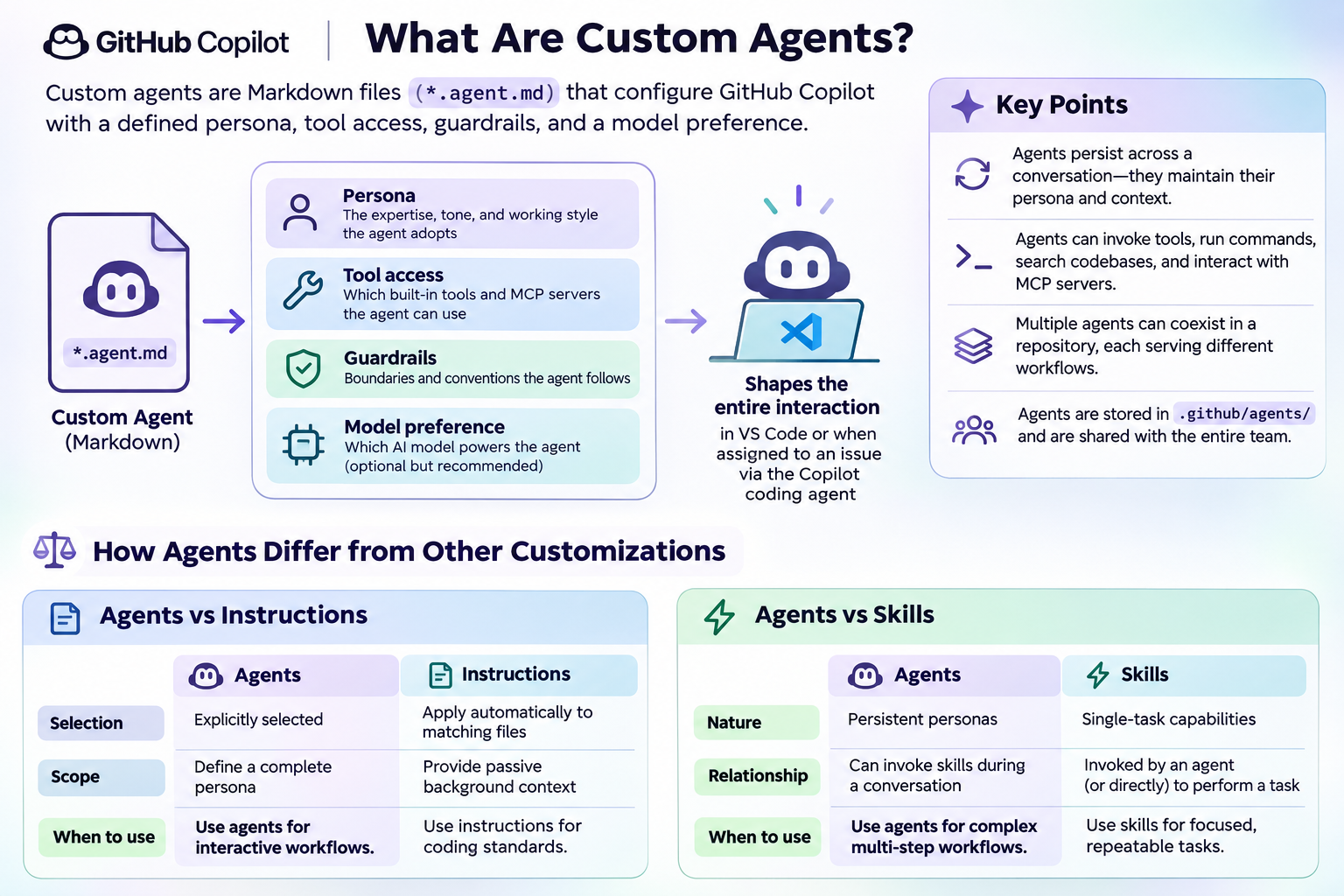
A custom agent shapes how Copilot approaches a type of work. Its profile describes expertise, working style and available tools. For example, a focused reviewer can look for accessibility problems instead of trying to implement, test and deploy an entire application.
The infographic connects a Markdown agent profile to four ideas: persona, tool access, guardrails and model preference. Model selection and supported profile fields depend on the Copilot environment. A profile is not a separate security boundary.
Agents, instructions and skills
Instructions supply reusable project guidance. Skills package task-specific guidance and supporting resources. Custom agents bring a focused role and tool selection to a conversation. These mechanisms complement one another; they are not interchangeable.
Instructions guide a model but cannot guarantee compliance. Protect sensitive actions using actual permissions, approval controls and repository policy.
Start small
Choose one recurring task and describe its desired output. Decide which tools are necessary and which actions require a person. Add more agents only when a distinct responsibility justifies them.
See the official configuration reference for supported fields in your environment. For a broader walkthrough, use the author's recommended Building Custom Agents guide.