Use hooks as supporting controls
Connect lifecycle events to deterministic checks while accounting for host support and failure behavior.
Before and after tool use
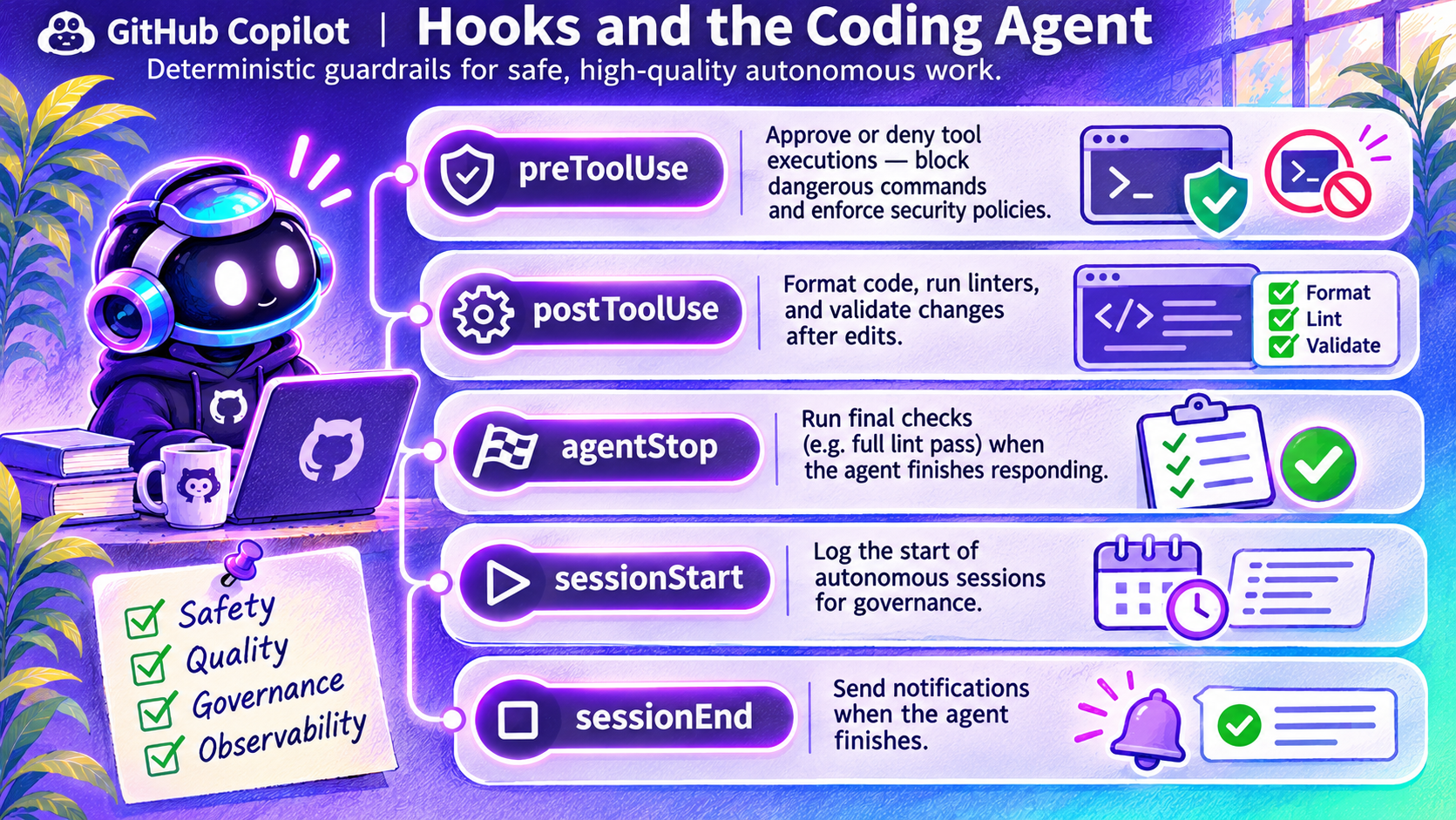
The image associates preToolUse with allow/deny decisions and postToolUse with formatting or validation. It also names session-start, session-end and agent-stop events for lifecycle checks and observability.
These categories explain why hooks can be useful. Event availability, payloads, response formats and blocking behavior must come from the target host's current reference.
CLI and cloud are not identical
GitHub's hooks reference describes both CLI and cloud support, but only a subset of events fires in the cloud. Repository hook files live under .github/hooks/. Agent-scoped hooks are currently documented as CLI-only.
Hooks are external commands. Inspect them before execution and do not assume that an error, timeout or post-action check automatically blocks a dangerous action. Design critical checks to deny on ambiguous outcomes and test that behavior.
Keep independent controls
Use real permissions and required checks for high-impact operations. Log decisions and metadata without exposing secrets or user content. Protect hook configuration from unauthorized edits.
Use the official hooks reference, not the infographic's conceptual examples, when writing configuration.