Understand configuration scopes
Separate personal preferences, repository guidance and organizational policy without assuming one universal precedence rule.
Three places to think about configuration
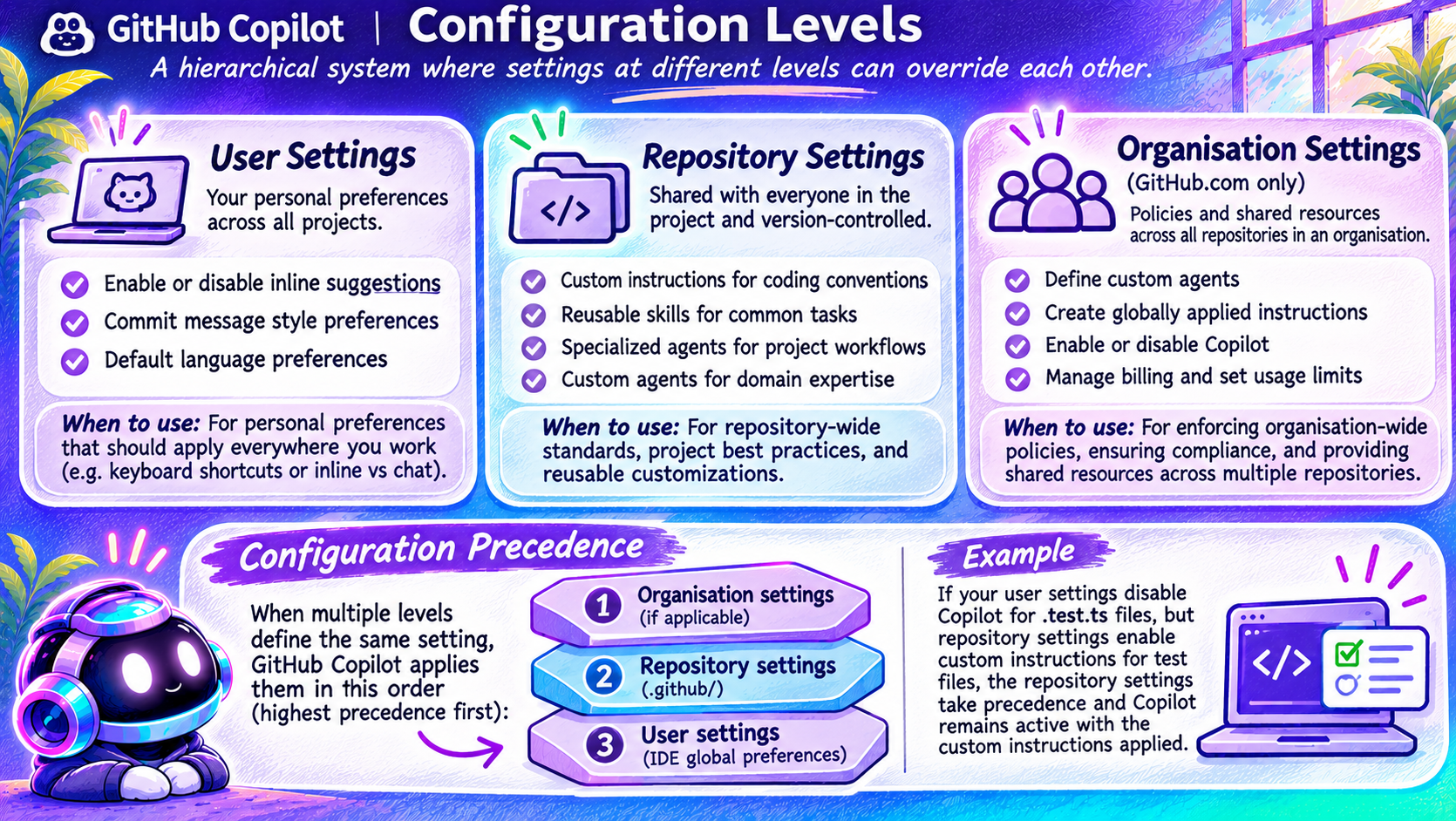
The image distinguishes user settings for personal preferences, repository settings for shared project practices and organization settings for centrally managed policy and resources. These are useful categories, but they describe different kinds of controls.
Keep project conventions in version-controlled guidance. Keep personal editor preferences in the appropriate user settings. Administrators manage organization policy through supported administrative controls.
Important correction: precedence depends on the setting
The pictured organization-over-repository-over-user stack is not a universal Copilot configuration algorithm. Instructions, editor settings, policy restrictions and agent-profile discovery have different rules.
For example, the shared custom-agent reference says duplicate agent filenames are resolved with the lowest-level configuration taking precedence. VS Code also distinguishes instruction scope from activation. A repository instruction does not simply switch a personal inline-suggestion setting back on.
Investigate a conflict
Identify the exact setting, Copilot surface and active harness. Check discovery and activation, then read the documented resolution rule for that feature. Test in a fresh conversation.