Monitor and steer remote work
Understand the value of remote session control without assuming a specific command or interface is available.
Stay involved while work runs
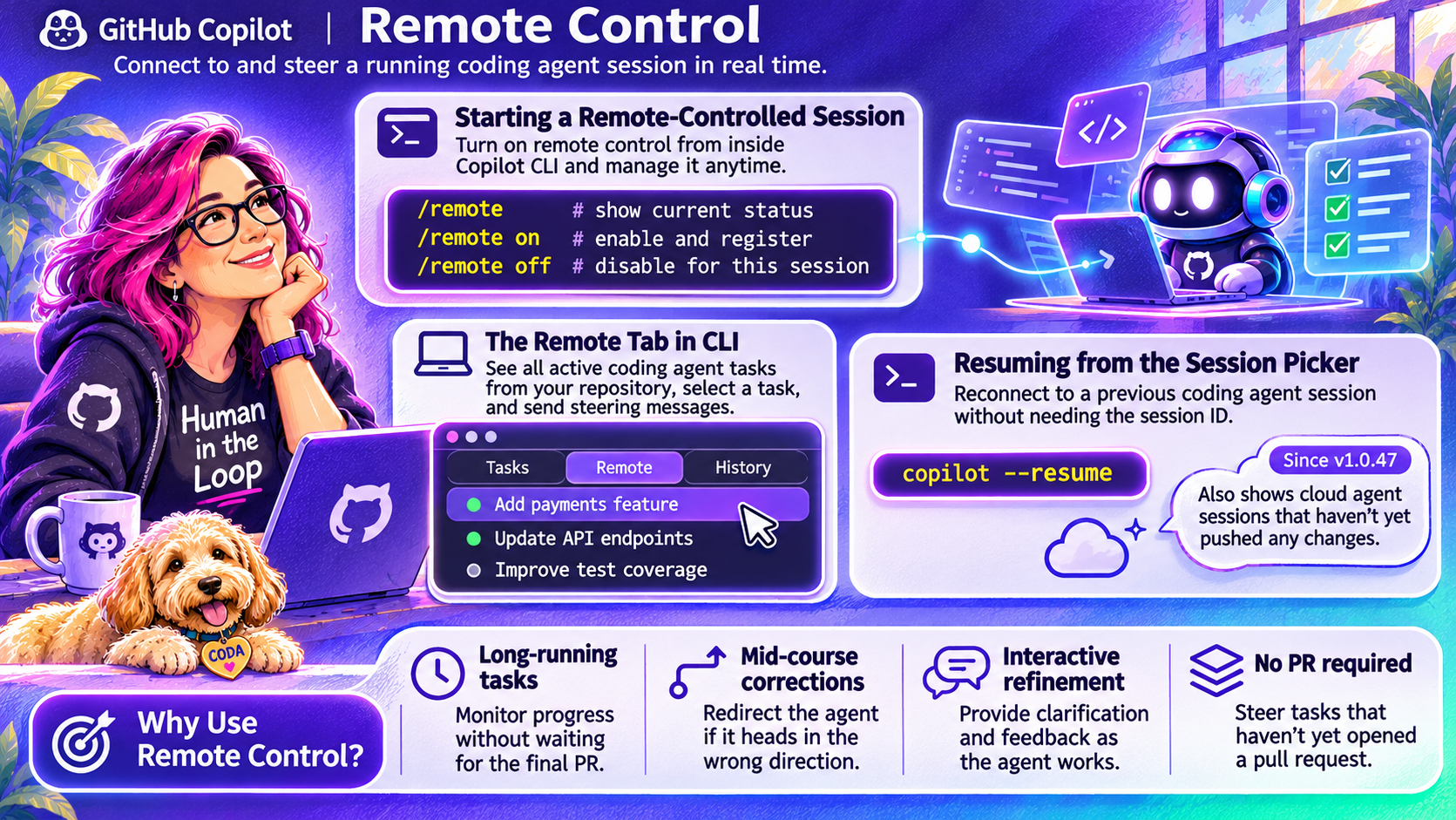
The infographic presents remote control as a way to monitor long-running work, clarify a task and correct its direction before a final result is ready. This is most useful when an early misunderstanding could lead to extensive unwanted changes.
Distinguish the concept from the pictured commands
The image shows /remote, /remote on, /remote off, a Remote tab and a resume command with a version annotation. Those exact commands and version claims have not been independently verified for this draft. Do not treat this page as a command reference.
Use the help and official documentation for your installed client. GitHub now distinguishes clients, sessions and execution environments, including sessions that can continue across supported clients.
Preserve the authorization boundary
Steering a session does not expand its permissions or authorize deployment. Verify the repository, branch and environment before sending instructions. When changing scope, state the new requirement clearly and review resulting changes.