Connect agents to MCP tools safely
Use the PostgreSQL example to distinguish external capability from permission and authorization.
What the connection adds
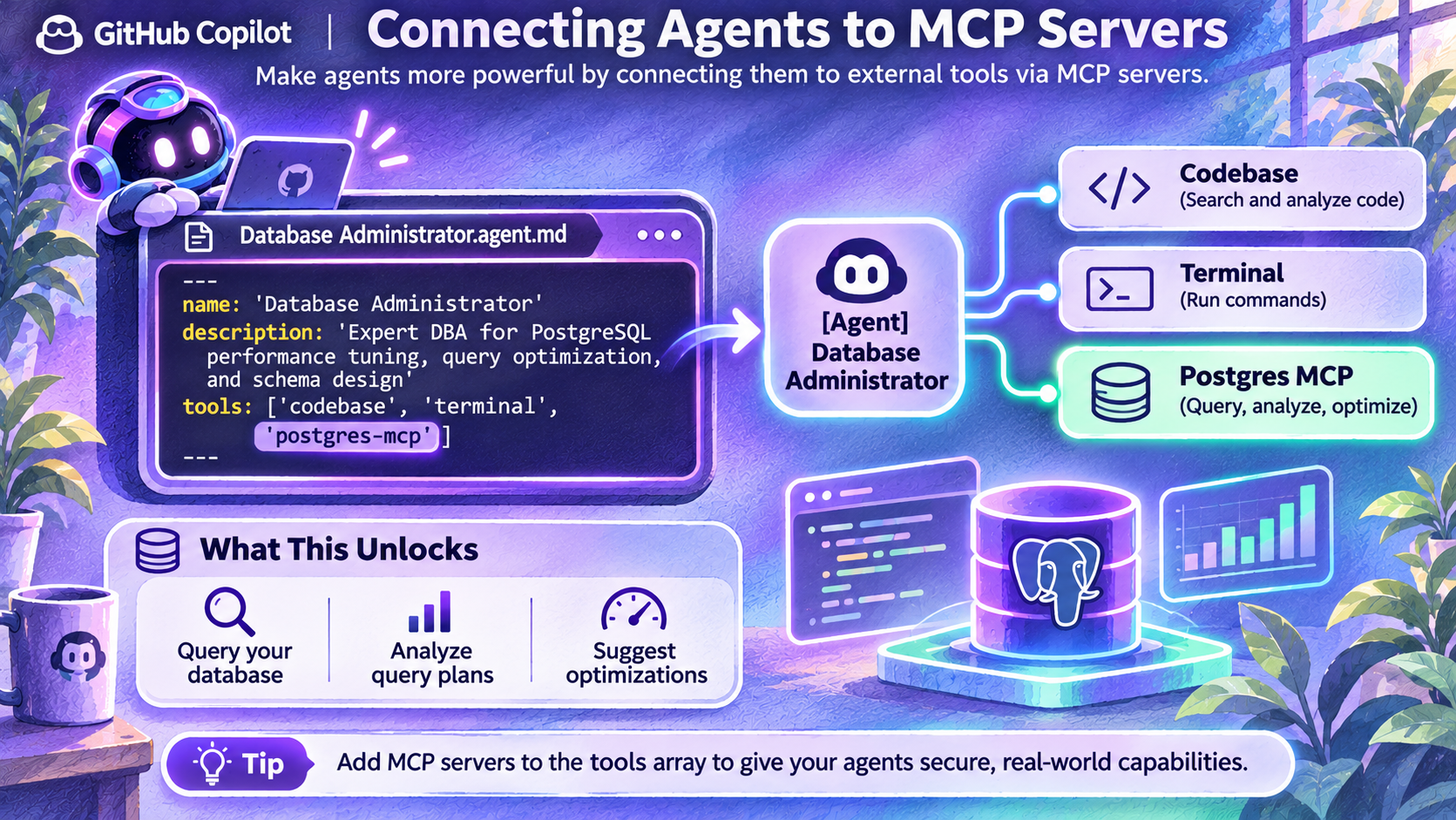
Model Context Protocol provides a common way to expose external tools and context. The image connects a database-focused agent to code, a command environment and PostgreSQL tooling to inspect queries and suggest improvements.
A tool being available is not permission to use every operation it exposes. An agent that only needs query-plan inspection should not automatically receive database modification or administrative capability.
Register, authorize and authenticate separately
Configure a trusted server using the target client's supported mechanism. Authenticate with narrowly scoped credentials. Select only the specific server tools needed for the task; the pictured postgres-mcp name is not a universal built-in tool.
GitHub's profile reference supports namespaced tool identifiers such as server-name/tool-name. Its mcp-servers frontmatter field is not used by IDE custom agents.
Protect the data
Prefer non-production or read-only access. Require human approval for writes, schema changes and destructive operations. Keep credentials out of profiles, prompts and committed configuration. Audit decisions without copying sensitive database contents into logs.