Chapter 6 - Resources and Next Steps
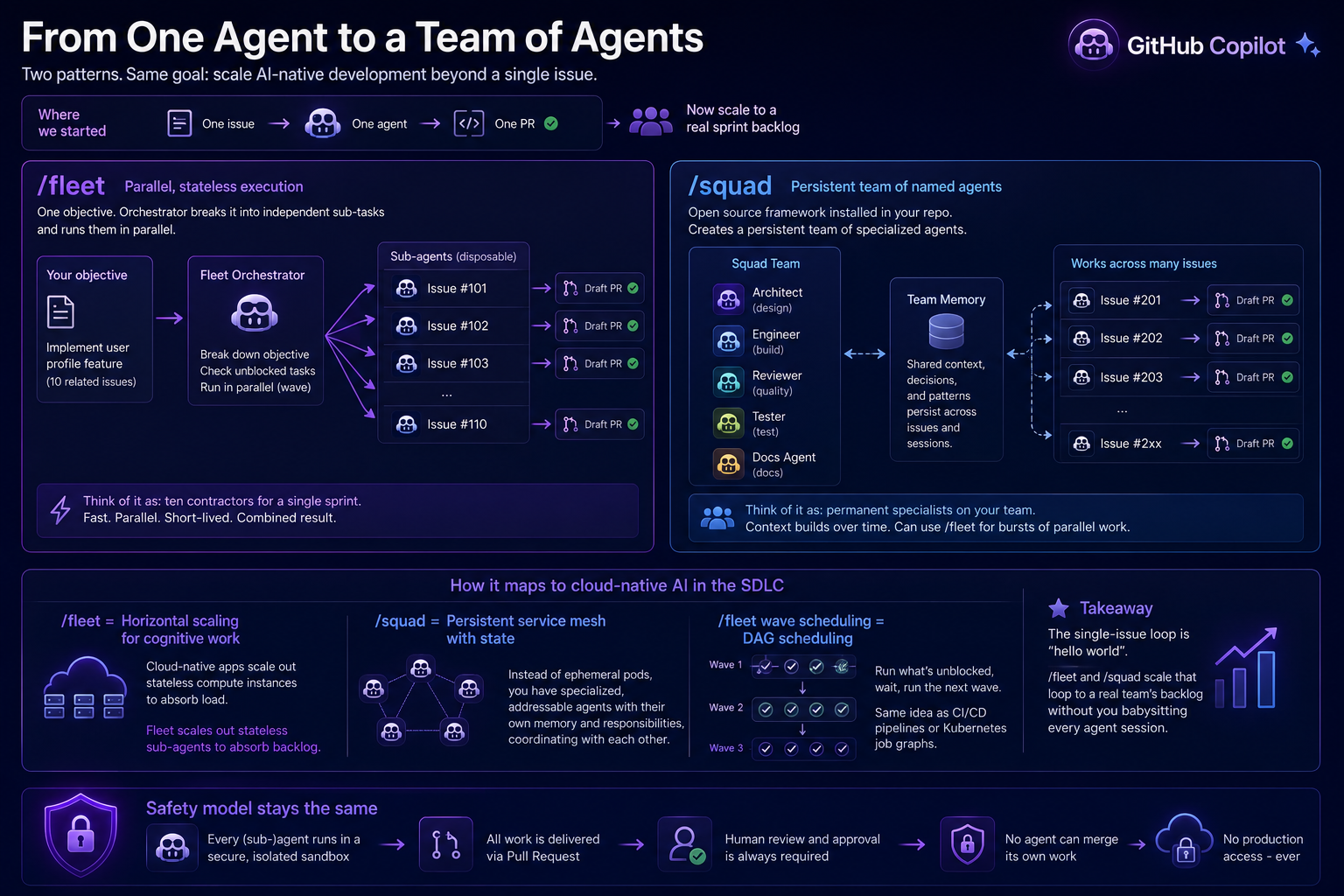
You've completed the full AI-native development loop: write an issue, assign it to Copilot, review the draft PR, iterate via comments, and merge. Use these links to keep building that skill after today.
GitHub Copilot & Agents
- Awesome Copilot - A curated collection of examples, tools, and patterns for practical Copilot usage.
- Awesome Copilot Learning Hub - A structured, community-maintained learning path covering the Copilot App, Copilot Chat, the Copilot CLI, custom instructions, skills, and agentic workflows. A great next stop after Chapter 2.
- GitHub Spec Kit - Toolkit and methodology for spec-driven development, writing specifications that agents like Copilot can implement against.
- GitHub Agentic Process Engineering (git-ape) - Framework guidance for designing repeatable agent-driven software workflows.
- bradygaster/squad - Sample project demonstrating multi-agent "squad" orchestration patterns in real code.
- Copilot CLI fleet docs - Official guidance on coordinating and scaling Copilot CLI agent workflows.
- Install the GitHub Copilot CLI - Setup instructions for the CLI used in Chapter 2's Copilot Chat and CLI exploration steps.
- About Copilot coding agent - Core concepts for how the cloud coding agent operates and what safeguards exist.
Learning & Certification
- GitHub Actions Workshop (GH-AW) - Hands-on labs for automation patterns that pair well with AI-native development loops.
- Microsoft Agentic AI Developer certification - Certification path for agentic AI development skills.
- Scaling Guacamole - Community learning content focused on scalable engineering and AI-assisted delivery practices.
- ANZAzureDevs/New-Breakpoint episode archive - Show notes and episode links for further reading and practical demos.
Keep Practising
- Write a
copilot-instructions.mdfor one of your own projects. - Try the Copilot CLI:
gh copilot suggest "undo my last commit but keep the changes" - Run the full loop again on a feature you actually want to build.