AI Genius Episode 1 - Attendee Companion
This guide is your complete, self-contained attendee companion. Everything you need, prerequisites, setup, and every exercise, step by step, lives on this site. You only need the repository for one thing: cloning the starter code.
What You Will Learn
- What "AI-native" actually means for developers
- How to write issues that give Copilot the context it needs
- How to assign work to Copilot and observe it in action
- How to review Copilot-generated PRs like a senior developer
- How to iterate via PR comments instead of starting from scratch
- Best practices for collaborating with AI throughout the coding process
The AI-Native Workflow Loop
IDEA
  └─► GitHub Issue  (describe the work)
        └─► Assign to Copilot  (Copilot agent picks it up)
              └─► Code is generated in a secure sandbox
                    └─► Draft PR is opened  (with session log)
                          └─► Human reviews and iterates via PR comments
                                └─► Merge and ship
You are the tech lead in this workflow. Copilot handles the how. You define the what and why.
Prerequisites
Before you start Chapter 1, make sure you have:
- A GitHub account with access to GitHub Copilot
- The GitHub Copilot App installed on your desktop
- Python 3.10 or later installed locally
- Git installed locally
Setup: Get the Starter App Running
-
Fork the repository to your own GitHub account: go to codess-aus/AIGenius-GHCP-AINative and click Fork in the top-right corner.
-
Clone your fork locally:
git clone https://github.com/YOUR-USERNAME/AIGenius-GHCP-AINative.git cd AIGenius-GHCP-AINative -
Install dependencies and run the starter app to confirm it works:
You should see a formatted table of two tasks and a stats summary. If that works, you are ready.cd starter-app pip install -r requirements.txt python app.py add "Deploy the API" --priority high --due 2025-12-31 --tag work python app.py add "Buy coffee" --priority low --tag personal python app.py list python app.py stats -
Open the GitHub Copilot App on your desktop and connect it to your forked repository.
-
Head to Chapter 1 below and work through the chapters in order. Each one tells you exactly what to do, no need to jump back to the repo's README or
exercises/folder.
The 5 Golden Rules of AI-Native Coding
- Write better issues - your issue IS your prompt. Be specific.
- Review like a senior dev - AI generates fast, humans verify smart.
- Use
copilot-instructions.md- give Copilot standing context about your project. - Iterate, don't regenerate - guide via comments rather than starting from scratch.
- Stay in the loop - check the session log, understand what Copilot did and why.
-
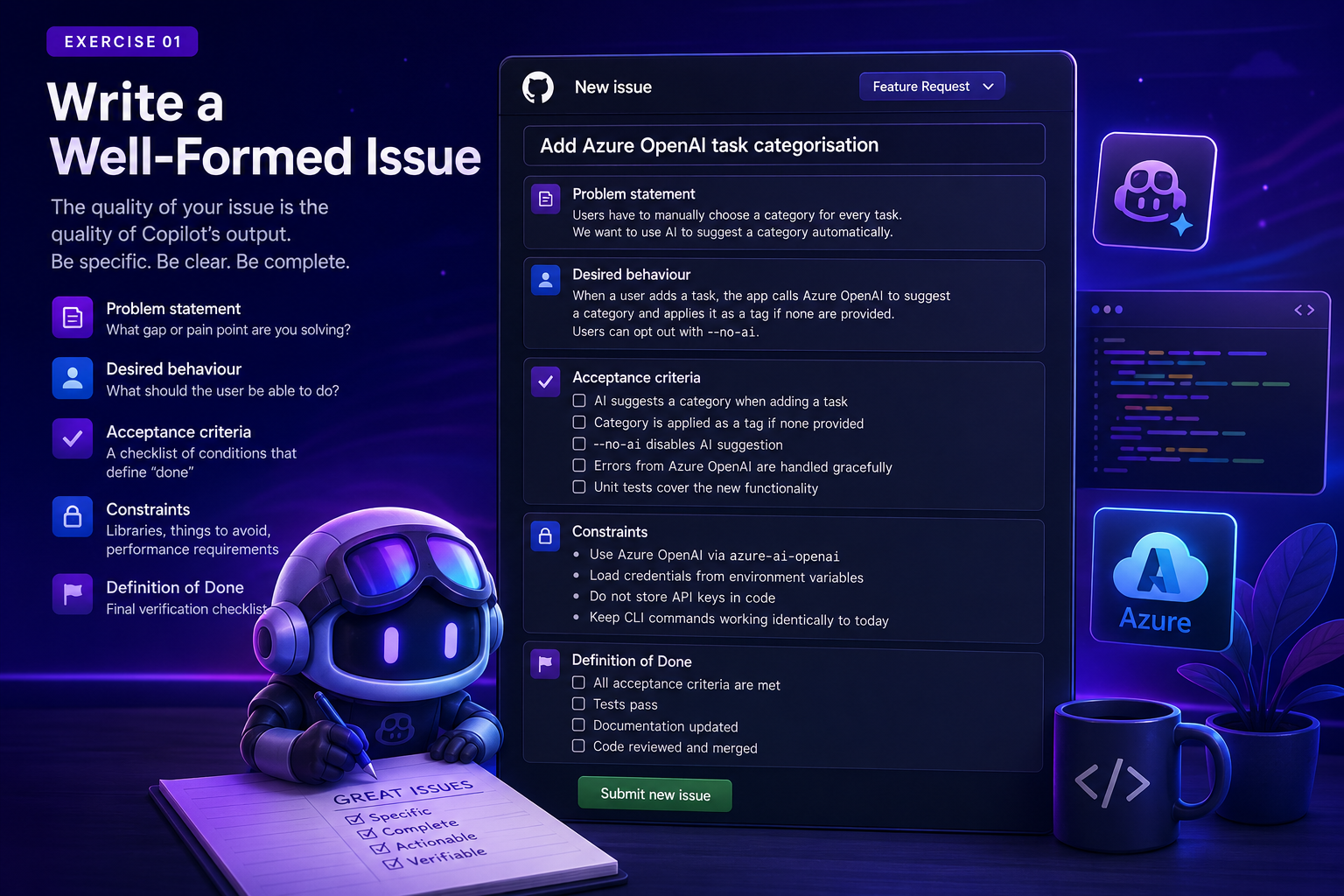
Chapter 1
Write a Well-Formed Issue
Learn the anatomy of a great issue, work through a fully worked example, and write your own issue using one of four feature options.
-
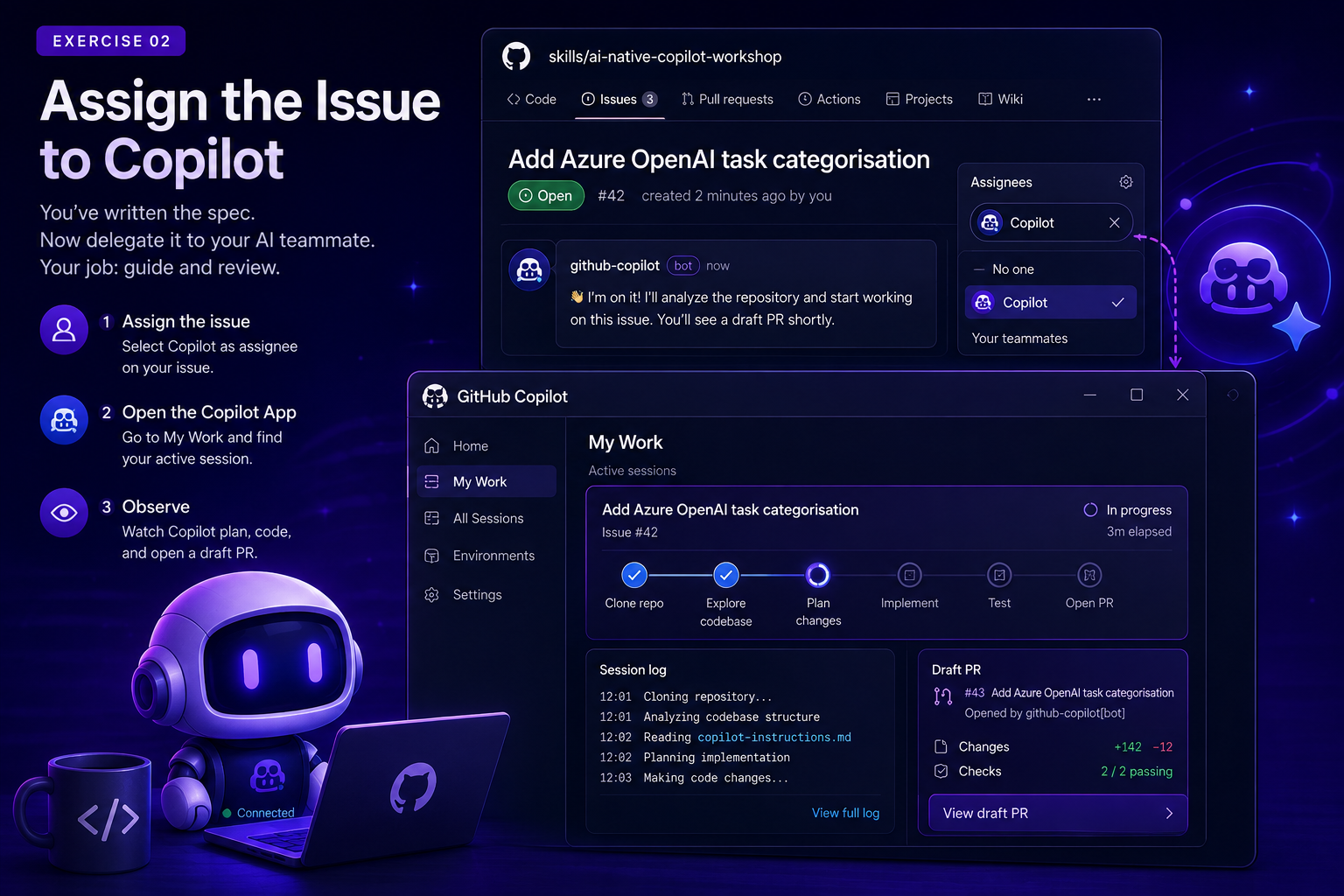
Chapter 2
Assign to Copilot
Assign your issue, open the Copilot App, and observe the agent clone, explore, implement, and open a draft PR in real time.
-
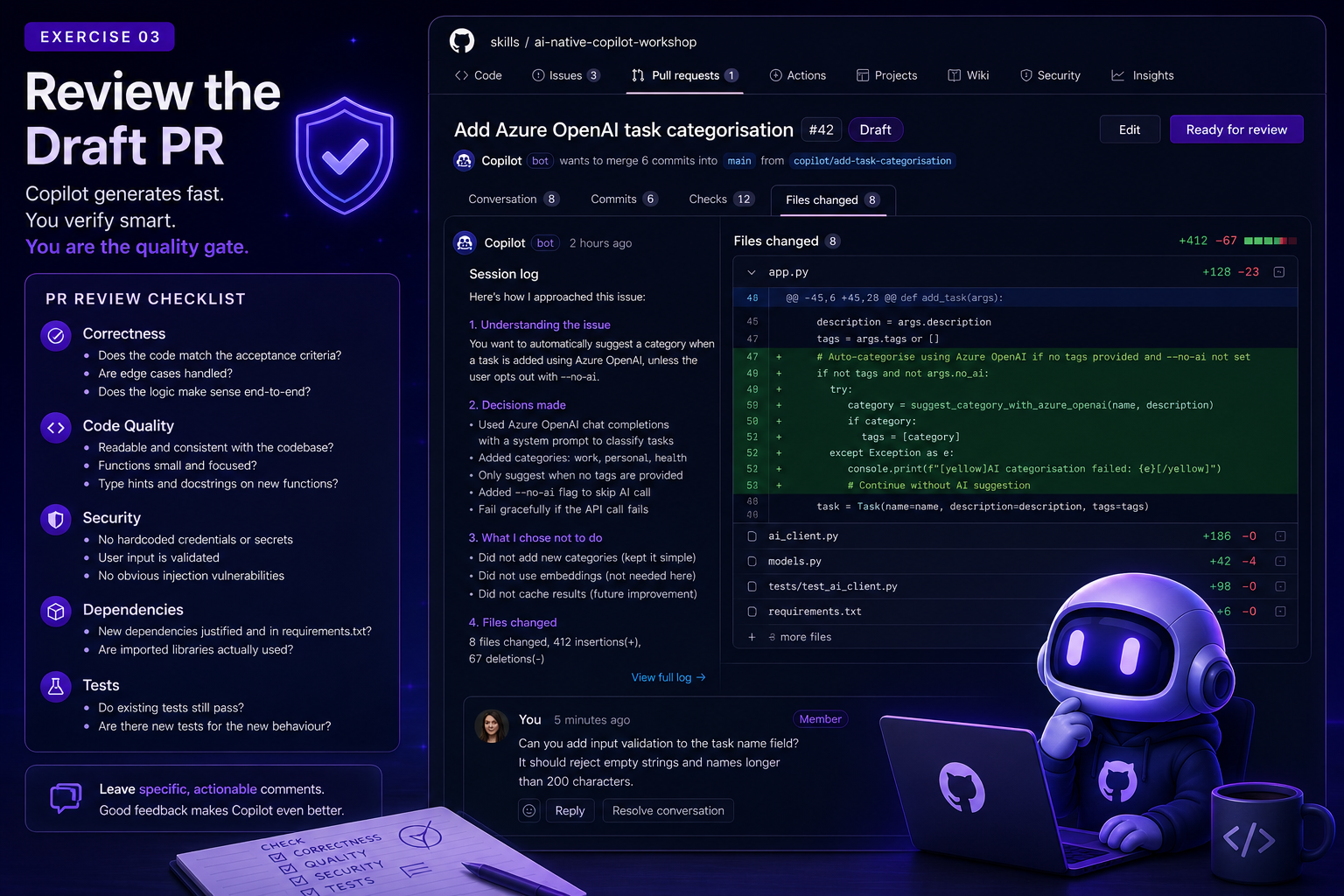
Chapter 3
Review a Draft PR
Use a practical review framework to validate correctness, quality, security, and test coverage, then leave a real review comment.
-
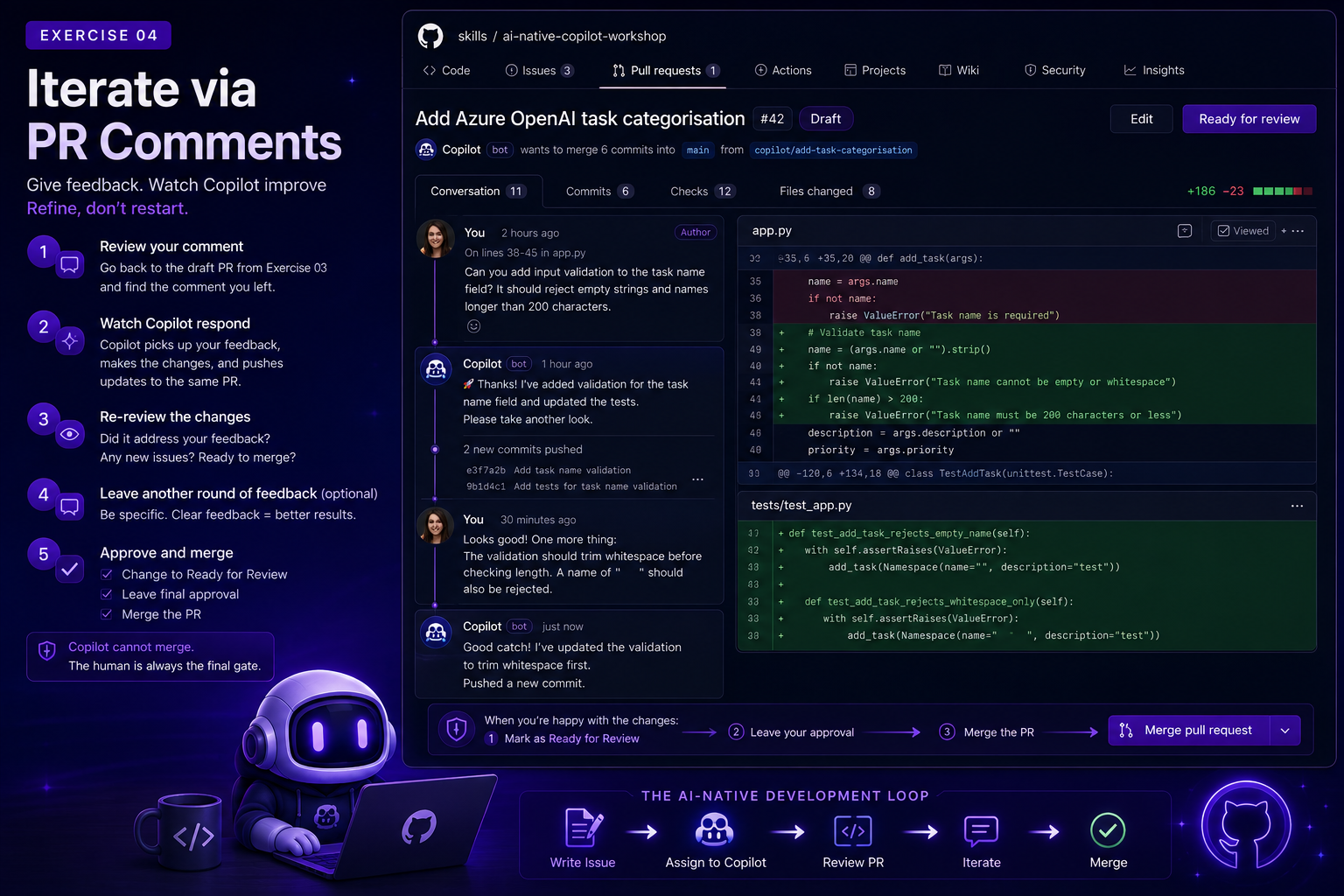
Chapter 4
Iterate via PR Comments
Watch Copilot respond to your feedback, re-review the update, and complete the loop by merging the PR yourself.
-
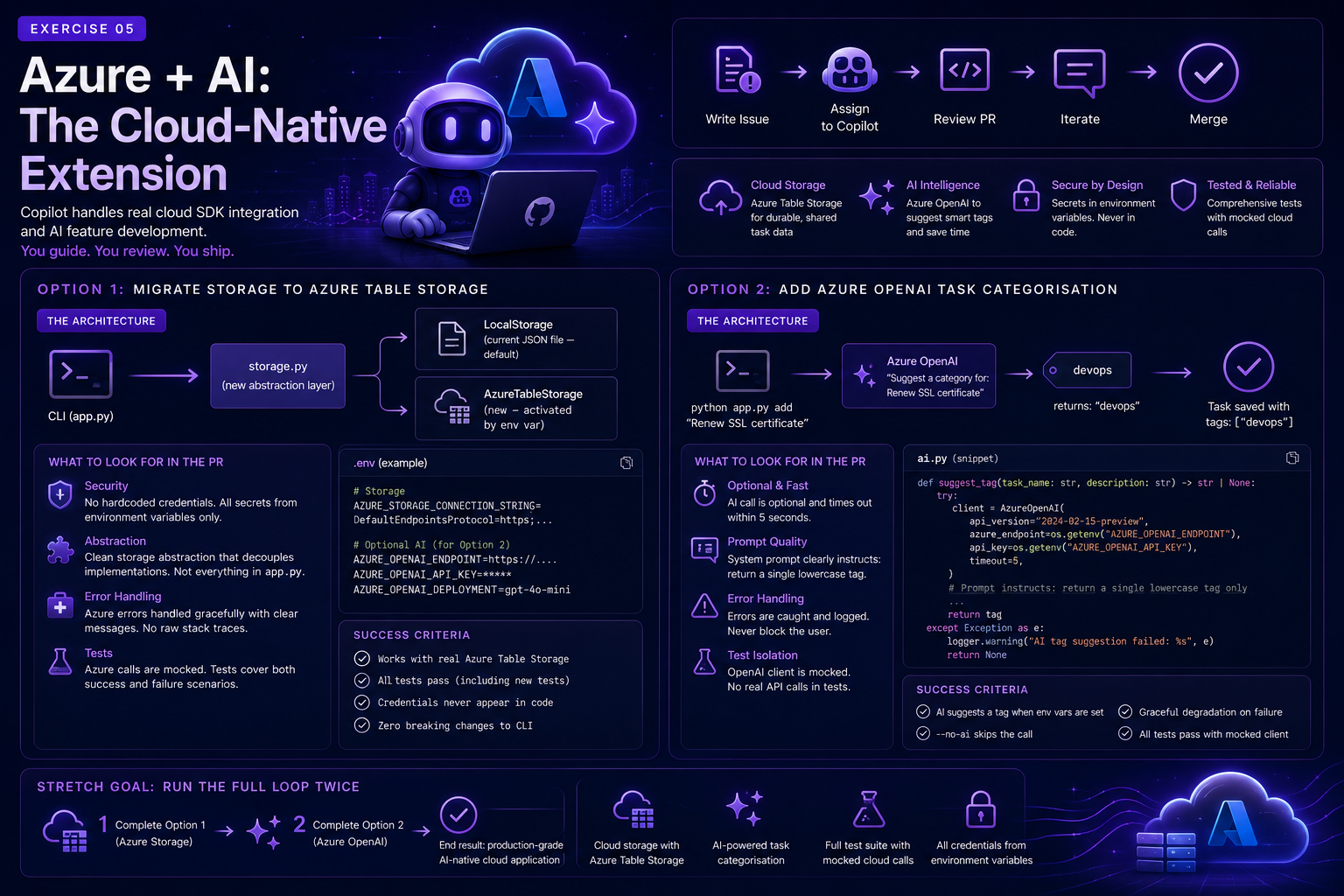
Chapter 5
Azure + AI Extension
Tackle a harder, cloud-flavoured challenge: Azure Table Storage persistence or Azure OpenAI-powered smart tagging.
-
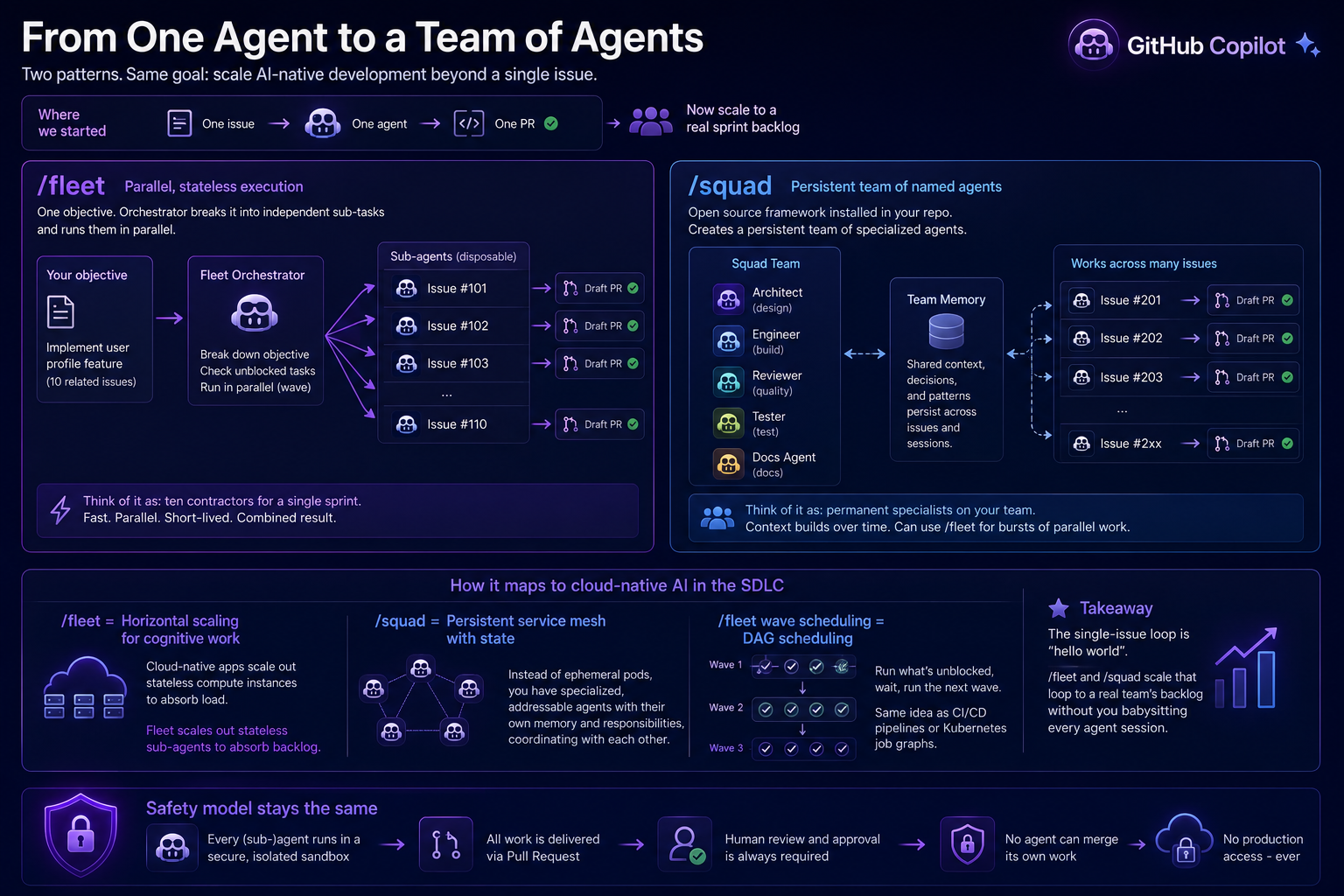
Chapter 6
Resources and Next Steps
Keep learning with curated links covering Copilot agents, fleet workflows, community projects, and certifications.